Personal Account Maintenance Form (PAMF) / Legal Name Change
Digitizing paperwork for the 21st century.
Problem:
Customers had to complete paper forms to update their legal names or perform complex account maintenance requests (adding/removing beneficiaries, joint account owners, etc.), which tellers and the back office then manually processed. By modern standards, the workflow was slow, prone to mistakes, and difficult to manage for such sensitive, high-stakes requests.
Solution:
Digitize account maintenance requests within the teller platform to reduce manual steps and improve accuracy.
My role:
Sole content designer responsible for simplifying complex, legally sensitive language and guiding tellers through multi-step legal processes.
Results:
The updated process was widely praised by tellers and reduced errors caused by the paperwork process.
The flow
I've omitted some screens for brevity's sake, but I'm happy to discuss the project further in greater detail.
"Legal name change" is just one type of account maintenance that the customer can perform on their account within the Personal Account Maintenance Form experience. Other processes I worked on also included adding an account owner (which resulted in an increase of nearly 2,000 real-time owners added within the month upon release) and adding a beneficiary.
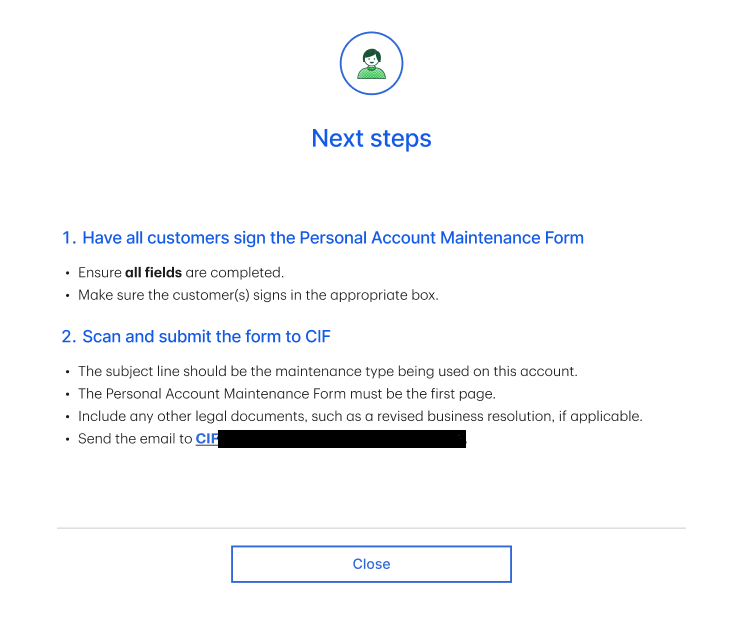
To collect the customer's signature, there are two options: eSign and wet sign (the customer signs a paper, and the teller then scans it, uploads it, and sends it to the back office). Wet sign is only used if eSign is down.
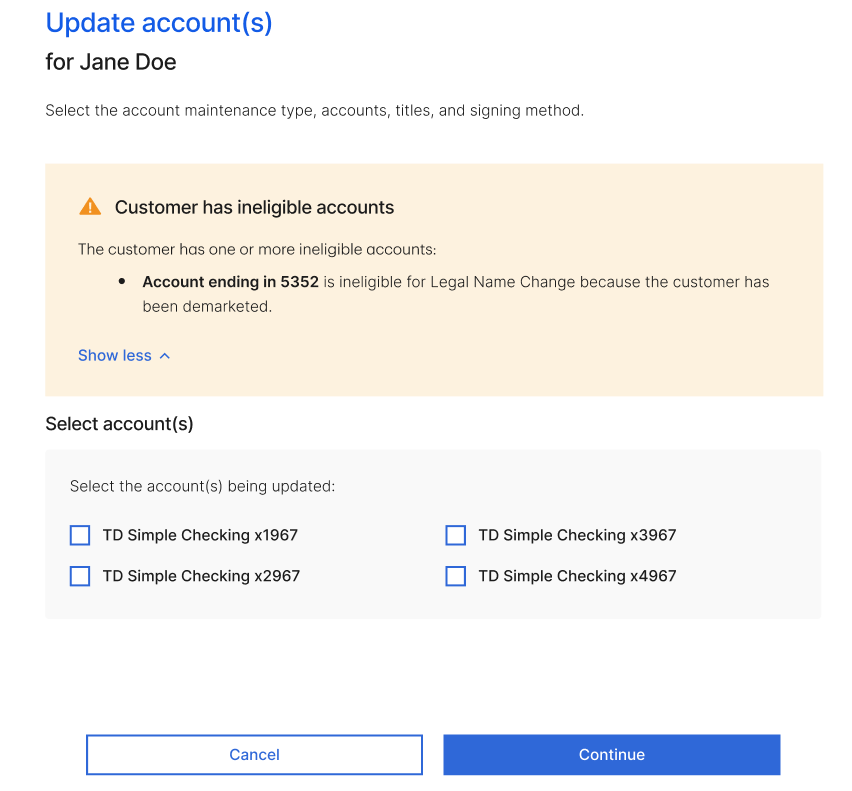
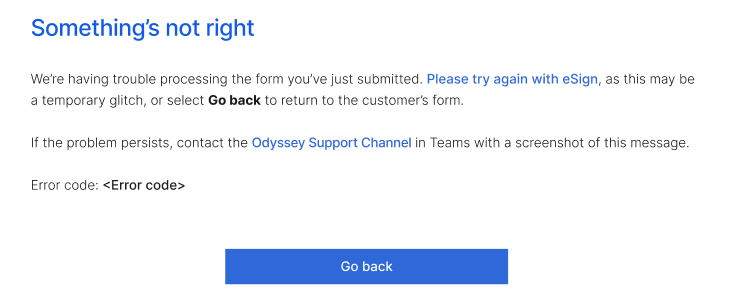
Error states
A small selection of various error states.
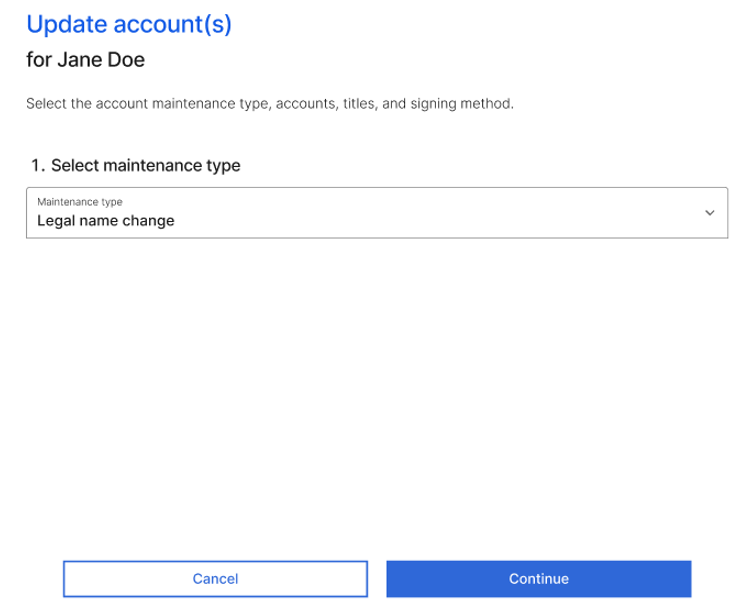
The teller pulls up the customer's accounts that are eligible for maintenance. From the dropdown, they can choose from the maintenance types I outlined above.
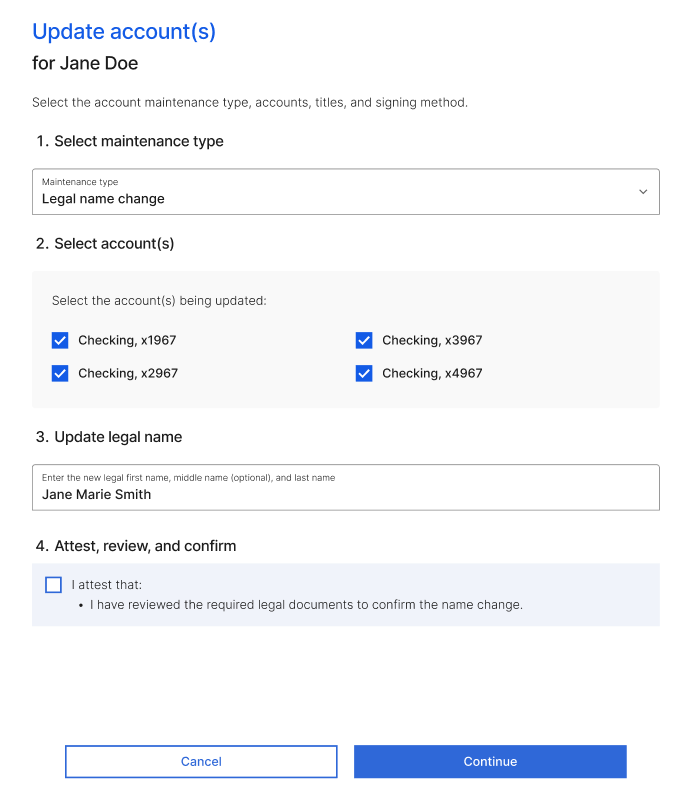
The rest of the form appears when the teller selects a maintenance type.
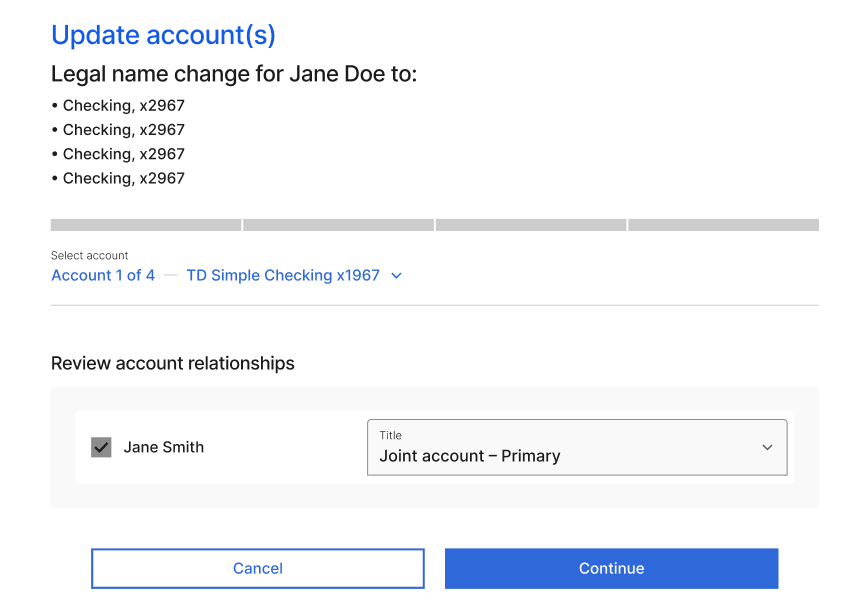
These options appear when the customer has multiple accounts with multiple owners. For the rest of the flow, I'll skip ahead—the teller goes through these screens multiple times with little variation.
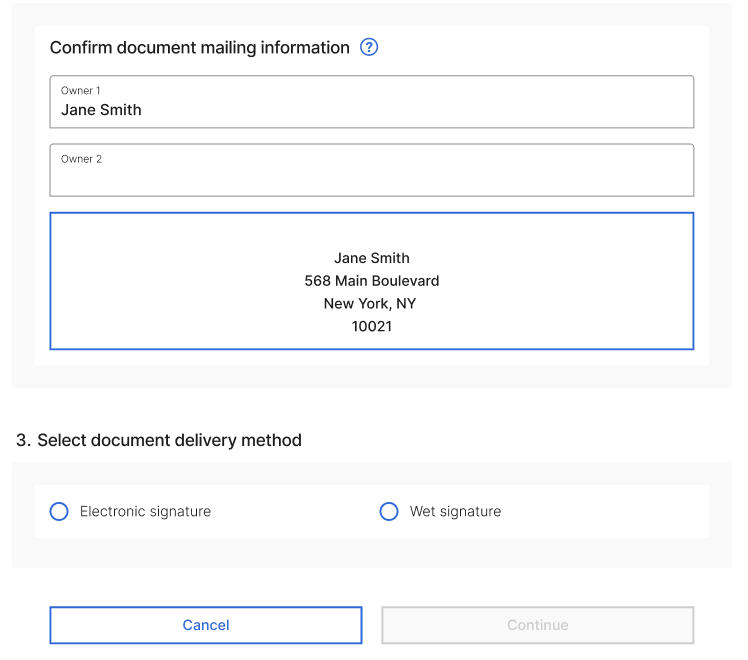
The tooltip text reads, "To update the street address, use the Address Update app."
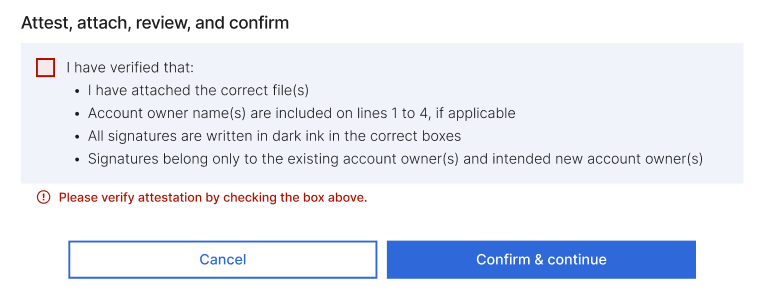
Once the teller enters the required information, if they select eSign, they'll be taken to a basic confirmation screen (not pictured). But if they select "wet signature," they go through the following screens.
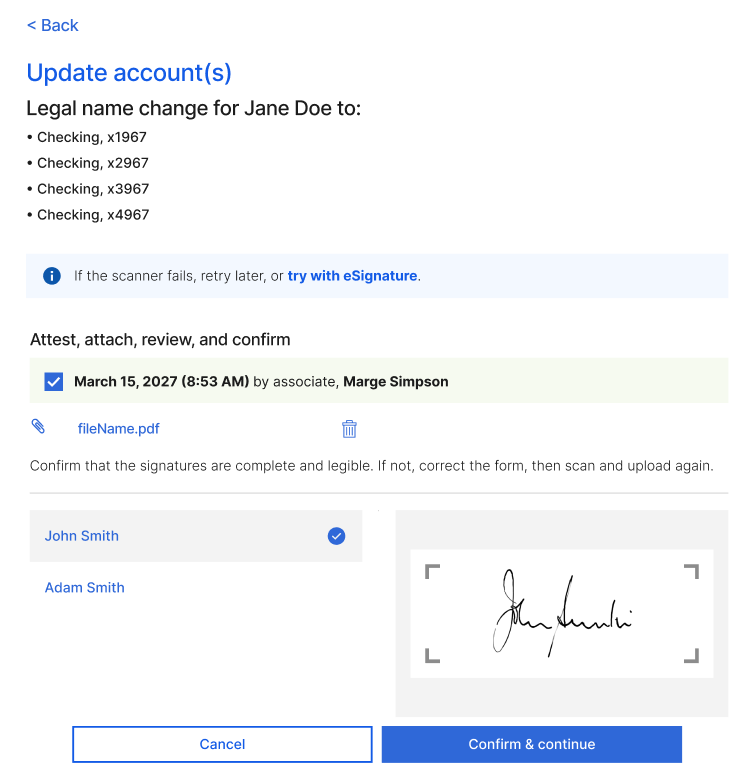
The teller has collected the customer's signature, scanned it, uploaded it, and attested.