CD Renewal
How I helped fix the CD renewal experience.
Problem:
Customers weren’t renewing their certificates of deposit (CDs) because the process required calling support or visiting a branch, while the internal tools were too confusing and inefficient to use. As a result, many customers chose not to renew at all.
Solution:
Improve the current, clunky, outdated platform (think Comic Sans font) and digitize the processes that were being done via paperwork to create something that would improve both employee efficiency and customer service.
My role:
Sole content designer responsible for end-to-end content design, guiding users through renewal decisions and simplifying complex legal language.
Process:
User research > Brainstorm/plan > Design & copy > Prototype > Legal review > Test > Release> User feedback > Iterate > Release
Results:
CD renewals increased significantly within one month of launch and processing time dropped from five business days to just one.
The flow
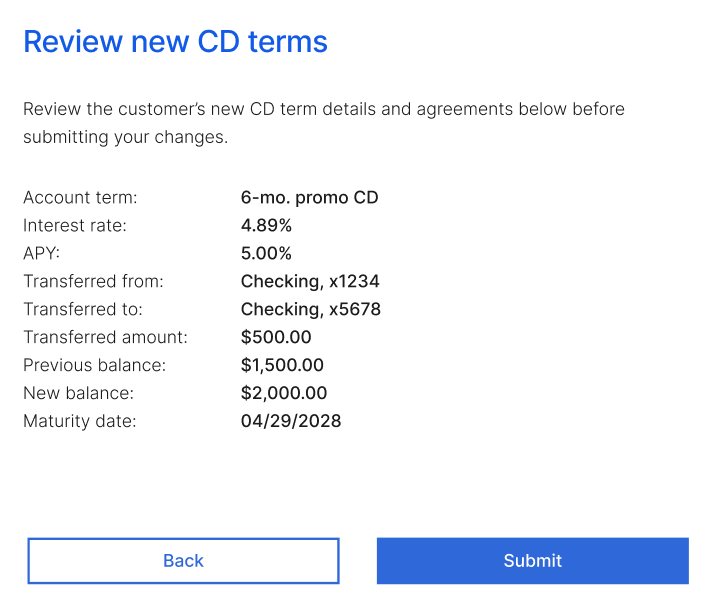
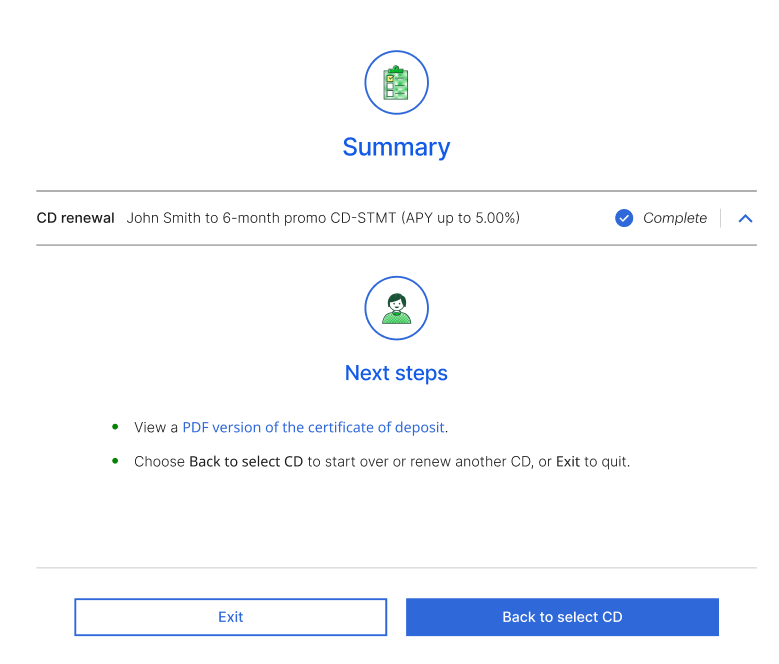
Below is a walkthrough of the redesigned renewal experience. I've omitted some screens in favor of brevity, but I'm happy to discuss the project further in greater detail.
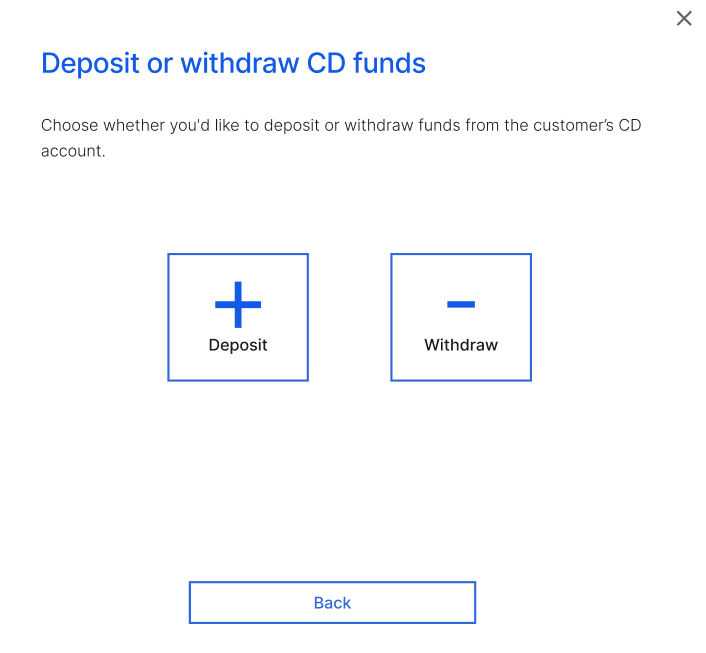
A customer has entered the bank and wants to adjust their CD account in one of four ways: renew their CD, select new CD terms, or deposit or withdraw funds into their CD account:
The teller pulls up the customer's CD accounts.
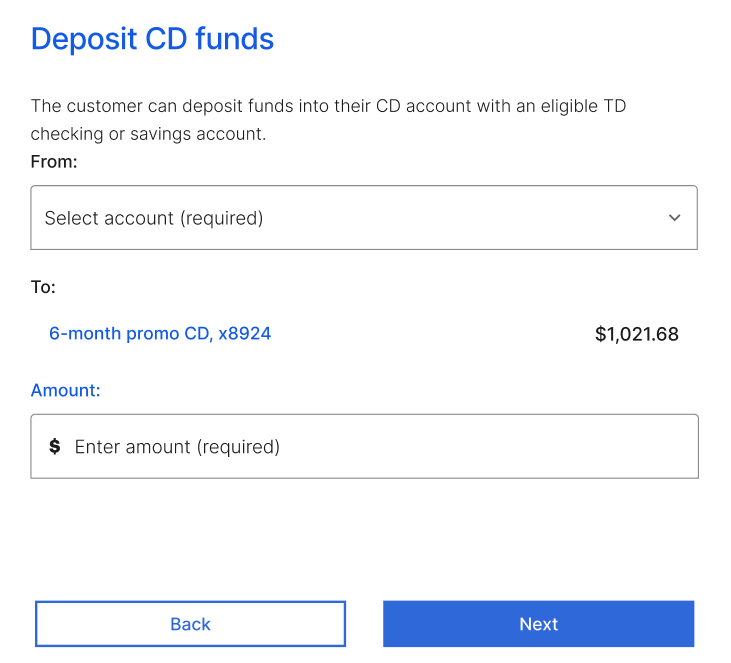
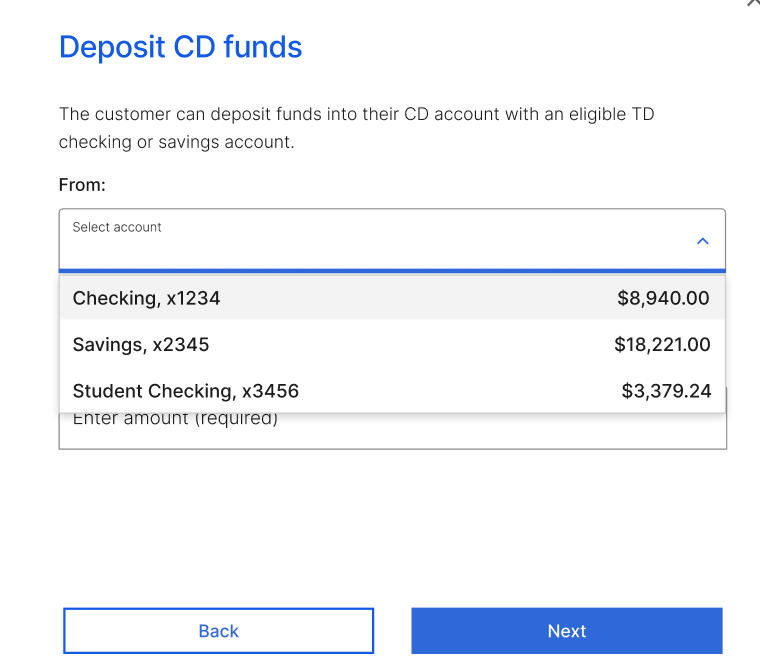
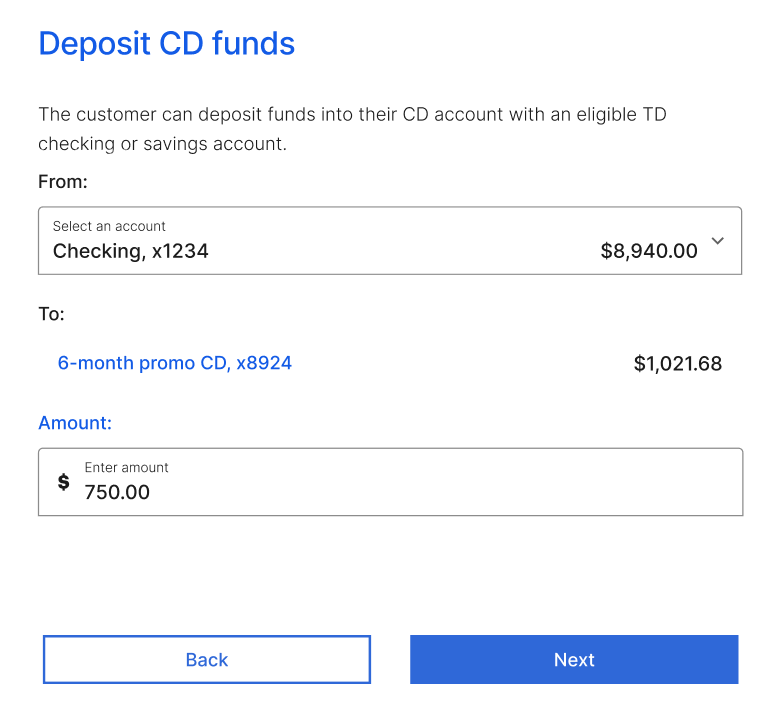
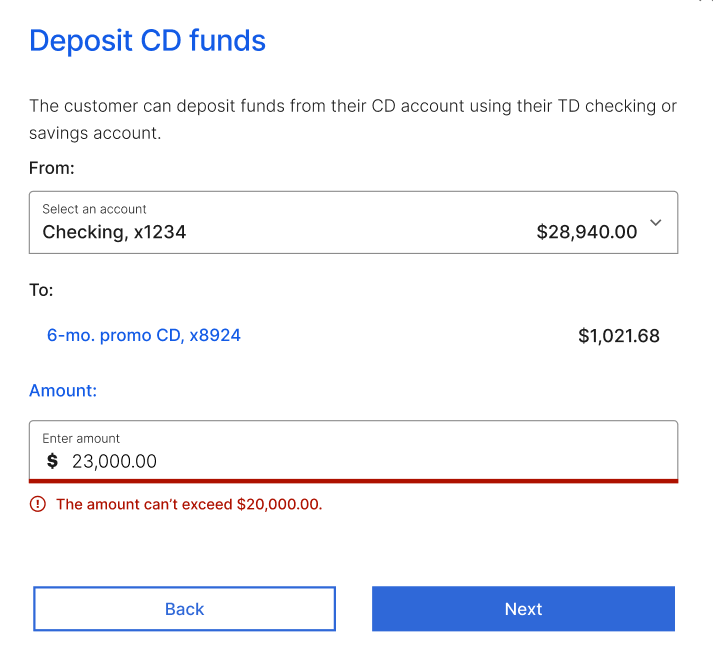
Here, only the deposit flow is shown, as the withdraw flow is nearly identical.
Hitting "Next" brings the teller to the next screen—the same screen that "Keep current balance" brings you to.
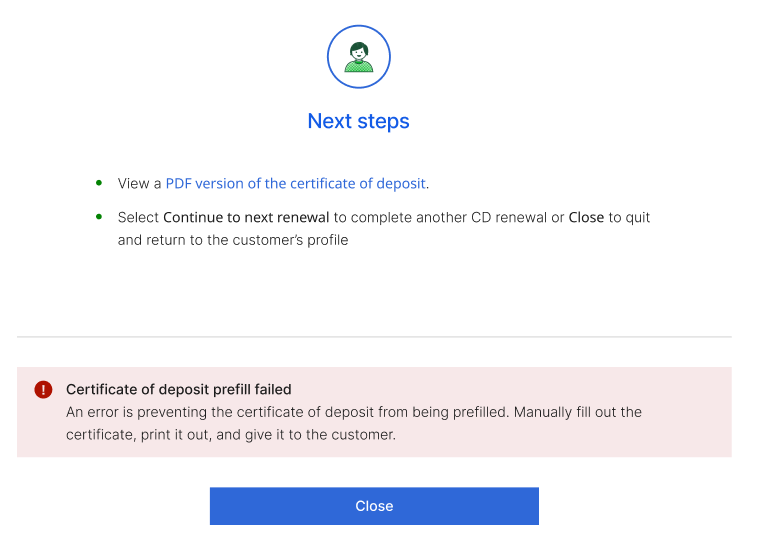
Error states
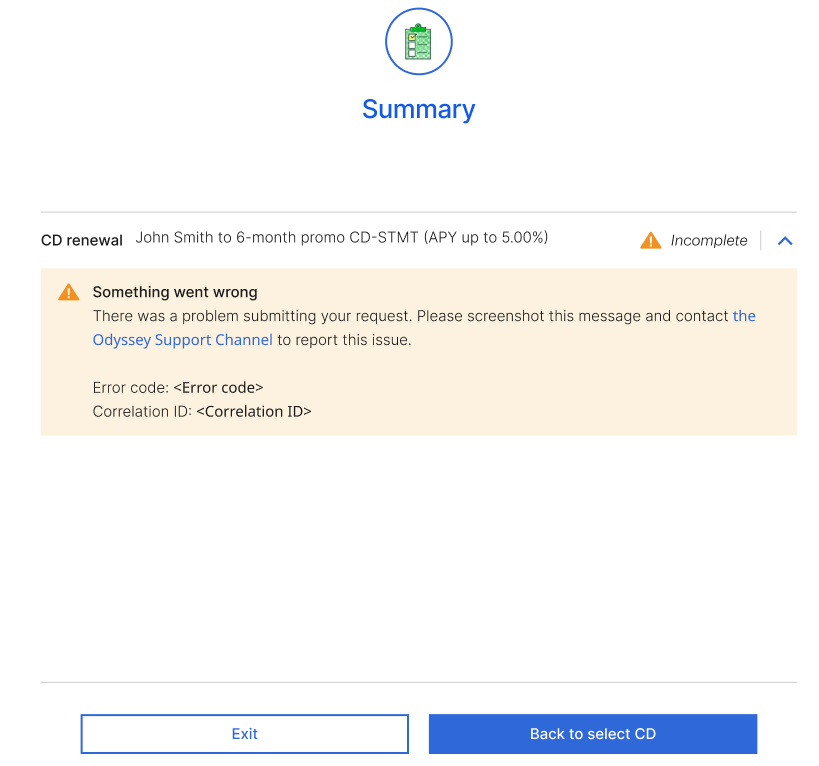
A small selection of various error states.
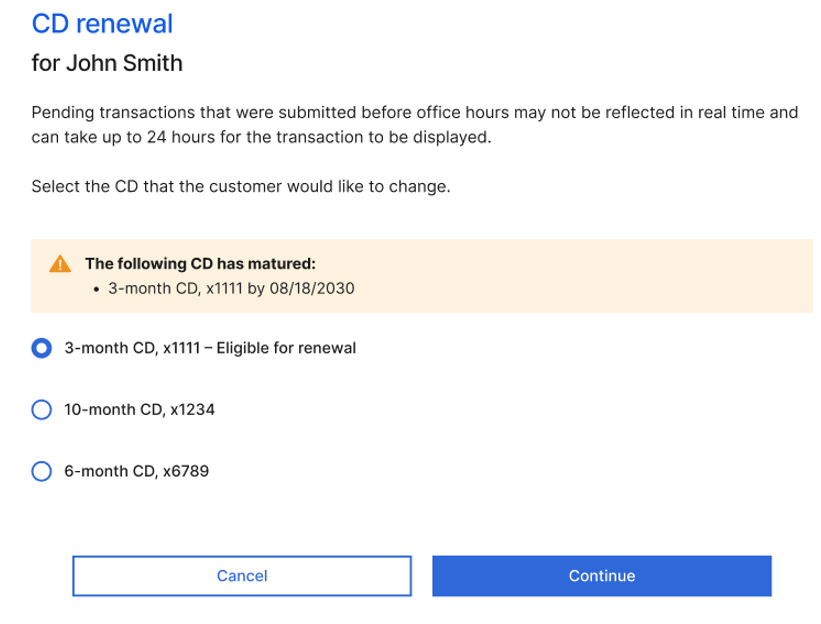
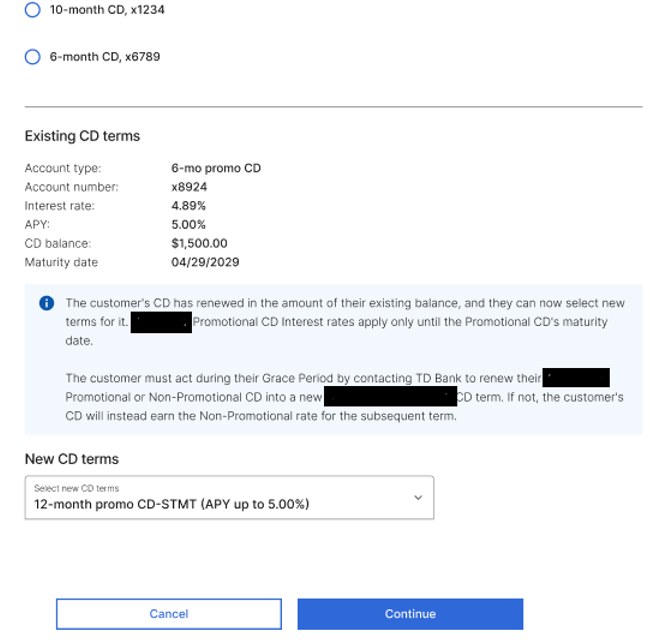
The customer wants to renew their eligible account. Once selected, the current term table appears and the teller can select the new CD terms for the customer. When the new term is selected from the dropdown, a table showing interest rate, APY, etc. appears.
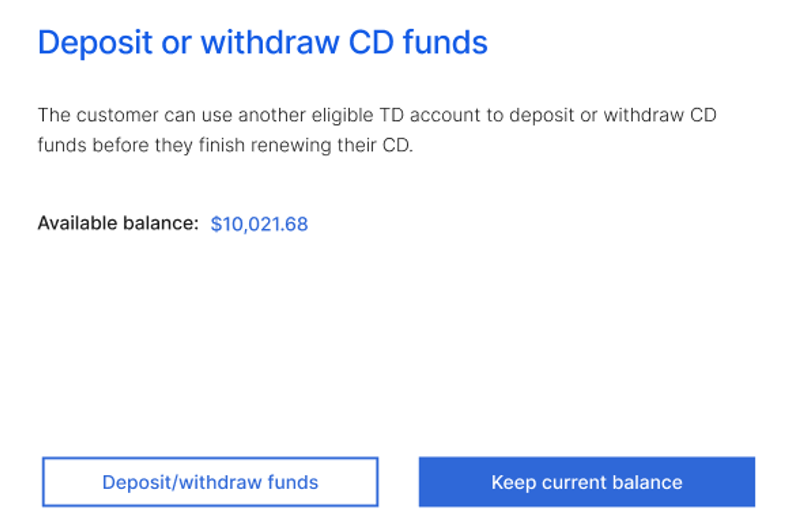
If the customer opts to (de)fund their CD account, they'll be taken to the next screen. If they opt to keep their current balance, they'll be taken to straight to the Review screen further down this page.